
A client sends feedback on an old PDF. Your designer replies in email. Someone else leaves a comment on a video link. By Friday, nobody is sure which version the client approved.
Our fictional creative agency wants one place to review files and collect approval. It has five internal users, ten active client projects, and a mix of PDFs, images, and short videos. The team needs to review work internally before showing it to clients.
This vendor comparison example uses those requirements to compare Filestage, PageProof, and GoVisually. We ran the research in Okou and checked the official pages on November 24, 2026. The screenshots show the real research conversation in a test workspace. We have not trialed the three review products themselves.
Which would we try first?
Start with a Filestage trial, checking the features included in Starter. Its two reviewer groups and team-only comments are relevant to the agency's internal-review-then-client-approval process. Starter also covers the agency's project count and file types.
Keep GoVisually Pro as the lower-cost candidate. For five paid users, its listed annual rate works out to $1,980, compared with $2,388 for Filestage Starter. Test its private-section handoff before deciding that the savings are worth it.
Consider PageProof Team for flat team pricing and automated review workflows. Its listed annual price is $2,499. Confirm the required client visibility rules before treating the entry plan as a complete fit.
These are choices for a trial. A pricing page can't demonstrate whether a client will find the review process easy.
Start with the job, not the feature list
We gave Okou the actual constraints for the example:
Compare Filestage, PageProof, and GoVisually for a small creative agency. We have 5 internal users and 10 active client projects. We review PDFs, images, and short videos; internal review happens before client approval. Clients should not need paid seats. Use current official pages to identify suitable plans, pricing units, and whether the advertised rate needs annual billing. Show a short comparison with source links, explain what we still need to test, and recommend which product to trial first.
Click the screenshot to view it at full size.
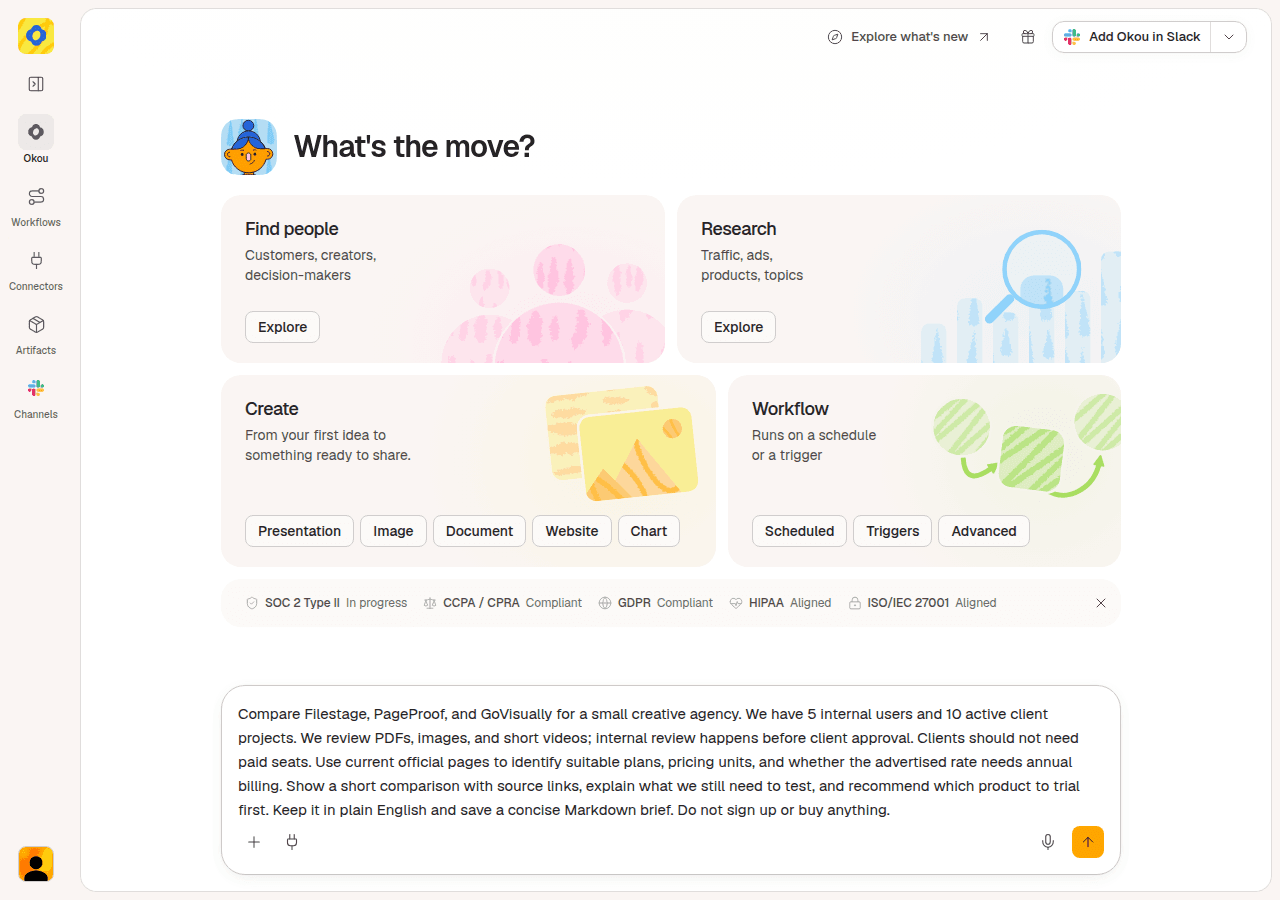
The starting request in Okou. Team size, project count, and video review determine which plans belong in the comparison.
Each requirement rules out a tempting shortcut:
| Requirement | Why it changes the comparison |
|---|---|
| Five internal users | A per-user price must be multiplied by five. A flat team price must not. |
| Ten active projects | Filestage's free plan, with one active project, is too small. |
| Short video reviews | GoVisually Lite excludes video and GIF support, so we compare Pro. |
| Internal review before clients | “Supports comments” doesn't tell us who can see them or when. |
| Clients without paid seats | Internal users and external reviewers must be counted separately. |
This is why an AI answer naming the cheapest advertised plan would be inadequate. The useful question is which plan can handle the work.
Compare the plans that could fit
Filestage Starter: a close match for the two-stage process
Filestage's pricing page lists unlimited active projects on Starter. It includes ten team seats, two reviewer groups, version comparison, and team-only comments. External reviewers are unlimited, and the supported file types include documents, images, and video.
For our agency, the two groups have an obvious purpose: one for internal feedback and one for client review. That is a reason to trial the plan, not proof that every visibility setting will work as expected.
Check the plan boundary carefully. Filestage's free trial exposes Business features. Automations, additional reviewer groups, and review reports appear in higher tiers. A feature working during the trial doesn't establish that it remains available on Starter.
PageProof Team: flat pricing with review workflows
PageProof's pricing page lists unlimited proofs, reviewers, and storage for Team. It also lists automated workflows and support for different file types, including video.
Its licensing explanation says the team license covers people in the company's email domain and outside freelancers. That helps an agency understand why this is a team price rather than five separate subscriptions.
However, a review happening in stages is not necessarily the same as hiding internal comments. The pricing FAQ places private comments among Enterprise features. The help article also describes private comments as an optional purchase for Teams Plus. Those pages don't settle the current package and price for our requirements.
Ask PageProof to confirm the specific setup: which plan keeps the agency's internal discussion out of a client's view, and what does that plan cost? Don't describe private comments as “Enterprise only” while the official help page lists another route.
GoVisually Pro: lower subscription cost for five people
GoVisually's pricing page lists Pro at $33 per user per month on annual billing, with a minimum of three users. Pro includes video and GIF support, 250 active projects, and unlimited external reviewers. The lower-priced Lite plan excludes video.
Its private-sections documentation describes areas visible only to selected project team members. Reviewers cannot access those private sections. The documentation explicitly gives internal review before external review as a use case.
That's relevant to the agency. The trial should still check the transition to client review: which files, comments, and previous versions become visible when work is shared?
What would five users cost?
The table separates annual payment from monthly billing. Prices are in USD and exclude tax and optional additions.
| Plan | Total for a year with annual payment | Total per month with monthly billing |
|---|---|---|
| Filestage Starter | $2,388 for the included team seats | $249 for the team |
| PageProof Team | $2,499 for the team | $249 for the team |
| GoVisually Pro | $1,980 for five users | $200 for five users |
Sources: Filestage, PageProof, and GoVisually. We checked the billing controls on the live pages on November 24, 2026. These are calculations from advertised rates, not account-specific quotes.
For GoVisually, the annual calculation is:
$33 × 5 users × 12 months = $1,980.
For Filestage, the annual display is a monthly equivalent for the team:
$199 × 12 months = $2,388.
PageProof lists the annual team amount directly: $2,499. Multiplying its $249 monthly-billing price by twelve gives $2,988, which is the cost of twelve monthly payments, not its advertised annual-payment offer.
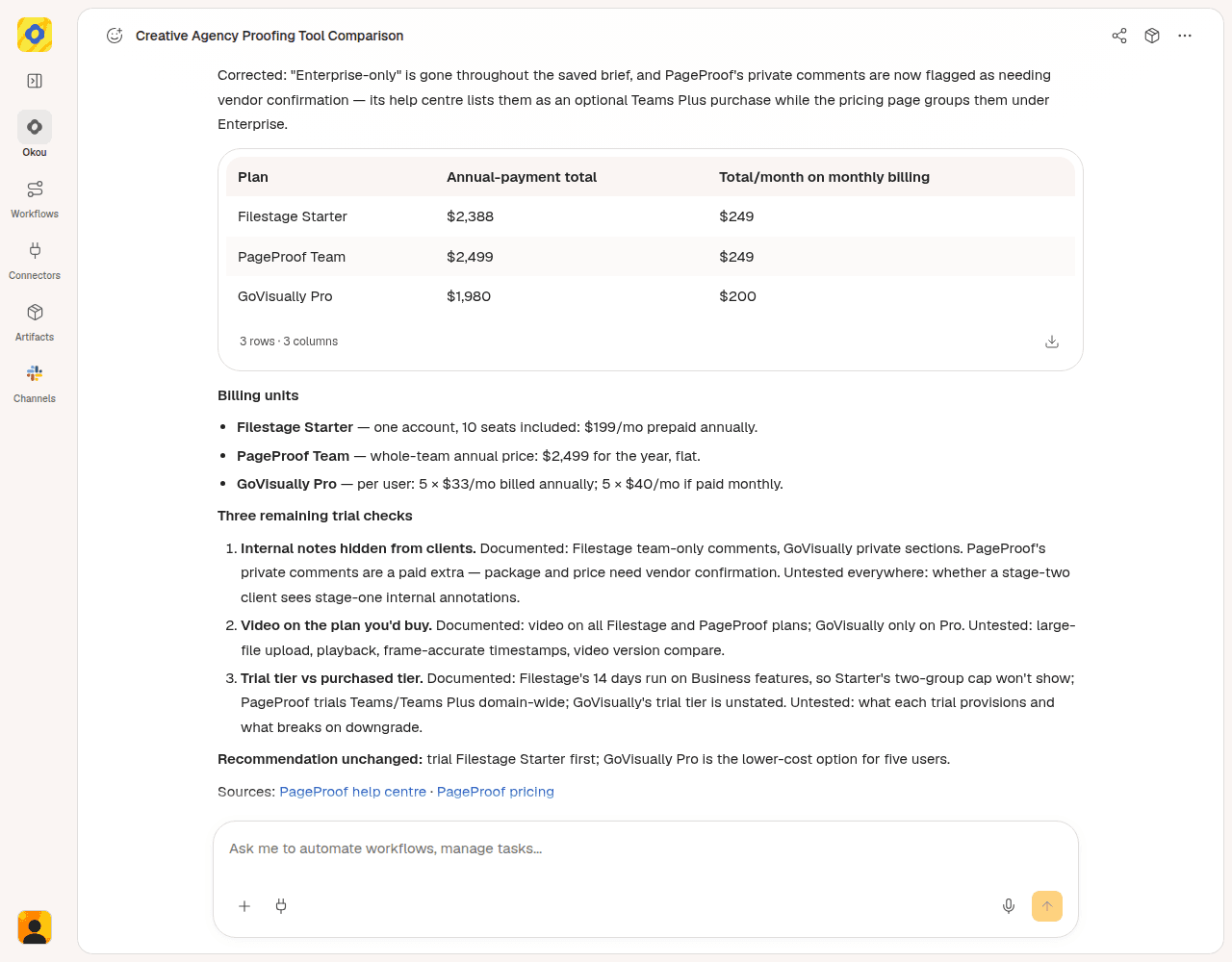
The budget check in Okou separates per-user pricing from whole-team pricing and keeps annual payment distinct from monthly billing.
GoVisually's annual total is $408 below Filestage's for this five-person scenario. The difference changes as the team grows, so don't reuse the ranking without recalculating the seats.
What we checked after the first AI answer
The first answer recommended Filestage and produced a useful plan comparison. It also called PageProof's private comments “Enterprise-only.”
We opened the linked documentation and found the Teams Plus option described above. We asked Okou to remove the exclusive claim, cite the disagreement, and leave the current package and price as a question for the vendor.
That correction doesn't make PageProof Team include private comments. It changes an unsupported exclusion into a concrete question. This is the difference between “we haven't confirmed it” and “it doesn't exist.”
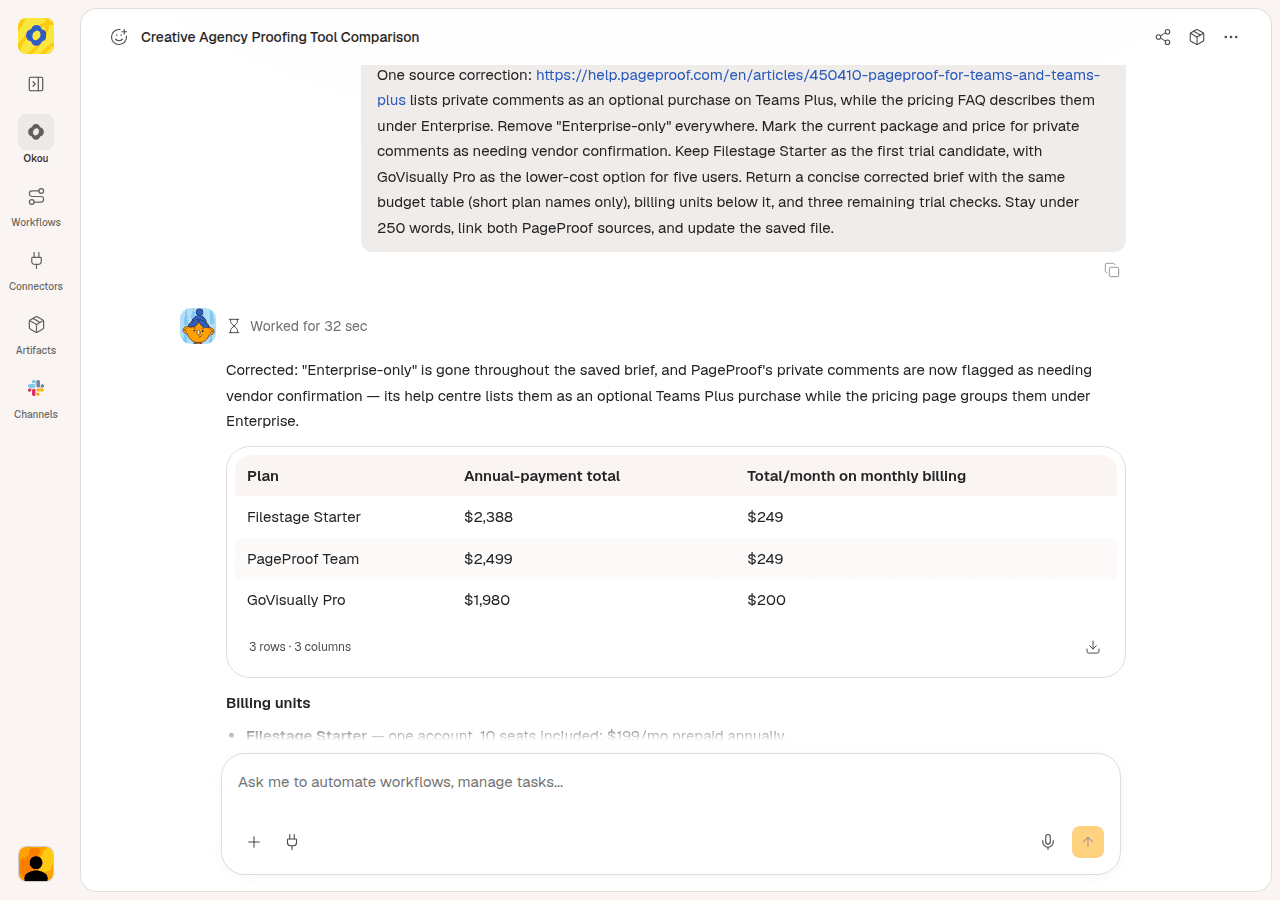
A real follow-up checks the plan restriction against two official pages and updates the brief.
Our AI research fact-checking guide explains how to make this kind of check without auditing every sentence before you can move forward.
Use the trial to answer three questions
Run one small, repeatable job with fictional files and a colleague acting as the client:
- Can the team review privately? Add an internal comment to a draft PDF. Share the client review and check what the client account can see, including older versions and notifications.
- Can a client review the actual file types? Use a PDF, an image, and a short video. Ask the colleague to leave feedback on a precise location or video moment and approve the revised version.
- Will the purchased plan keep the features you used? Compare the trial's features with the proposed paid plan. Get confirmation for anything essential that the documentation leaves unclear.
Record the result in ordinary language: “The client could approve the revised video without seeing our first-round notes.” That is more useful than giving the tool a vague score for “collaboration.”
If Filestage Starter passes those checks, it is a reasonable choice for this scenario. If the agency prefers GoVisually's process and its lower five-user cost, that is a reason to choose it instead. If PageProof confirms a suitable package, update the comparison with the quoted price.
Frequently asked questions
Which of these plans has the lowest listed annual cost for five users?
GoVisually Pro at $1,980, based on the advertised annual rate reviewed for this example. That comparison assumes five paid internal users and excludes taxes and optional additions.
Why not use GoVisually Lite?
The agency needs short-video review. Lite explicitly excludes video and GIF support, while Pro includes them.
Do clients need paid seats?
The compared plans advertise external reviewers separately from paid internal users. Confirm the exact role clients will receive and test their access. A reviewer account is not necessarily a project-management account.
Did you test these three products?
We ran the research task in Okou, checked public pricing and documentation, and reviewed the result. We did not sign up for the three vendors or test their approval workflows. The trial steps above are the next validation step.